
Muxy v1.0.0 — a terminal that becomes a platform
Muxy is no longer just a terminal. On June 9, 2026, v1.0.0 shipped under the banner “The Extensions Release”. The name is honest. This isn’t a polish or bugfix release: it’s a pivot from tool to platform.
I covered Muxy back in April as a lightweight terminal built on libghostty. The foundation is still there: SwiftUI, macOS 14+, ~1.8k GitHub stars. What changed is what you can build on top of it.
From terminal to platform
A terminal opens, runs commands, closes. A platform exposes APIs, distributes extensions, orchestrates surfaces.
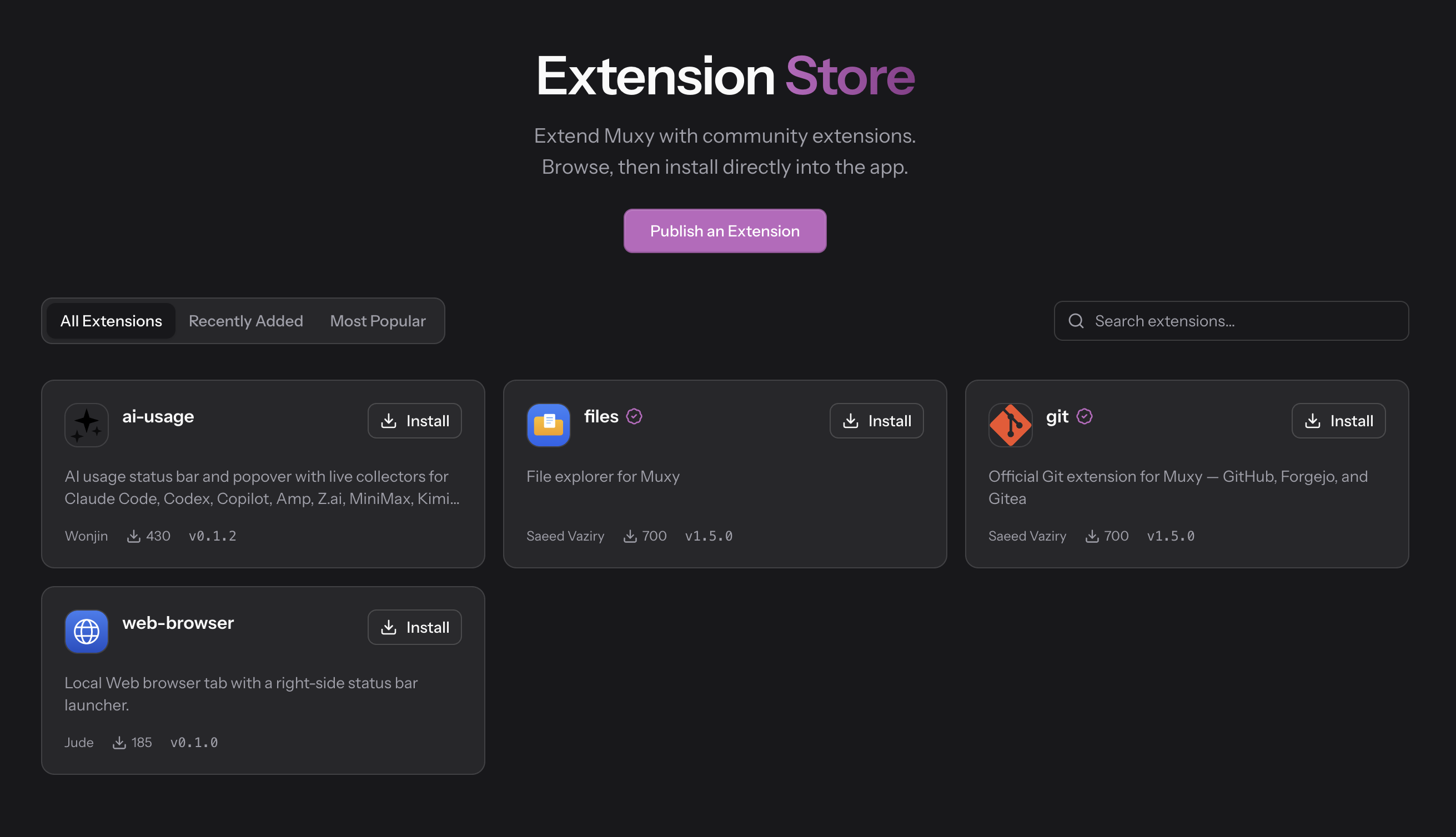
Muxy v1.0.0 is the second thing now. It ships with a full SDK for writing npm + Vite extensions, an official store at muxy.app/store, and an isolated extension runtime (MuxyExtensionHost, out-of-process). Extensions run on iOS and Android too (same extension, unmodified).
If you live in your terminal, you can now embed exactly the tools you want: tabs, panes, projects, git, files, processes. Not through a shell script. Through a typed JavaScript API, with a runtime that keeps running if an extension crashes.
Extensions: SDK, store, and how to publish
Four extensions are available at launch on the official store:
- git — GitHub, Forgejo, Gitea integration, by Saeed Vaziry
- files — embedded file explorer, by Saeed Vaziry
- ai-usage — live tracking of Claude Code, Codex, Copilot, Amp, Z.ai usage, by Wonjin
- web-browser — local browser with integrated status bar, by Jude
Creating and publishing an extension
From the Extensions modal → Create, Muxy scaffolds a vanilla project with a panel, topbar, and command. Minimum viable workflow:
npm install && npm run dev
# then Reload in the modal — your extension is live
The manifest lives in package.json, under the muxy key:
{
  "muxy": {
    "description": "My extension",
    "permissions": ["tabs", "exec"],
    "commands": [{ "id": "my-cmd", "label": "Do something" }]
  },
  "marketplace": {
    "icon": "icon.svg",
    "screenshots": ["screen-1600x1000.png"]
  }
}
1600×1000 screenshots are required for store submission. The available API covers tabs, panes, projects, worktrees, files, git, events, exec, http, toast, notifications, dialog, modal, panels, popover, topbar, statusbar, accessible via window.muxy in UI surfaces or from a background script if you need a persistent process.
To publish: fork muxy-app/extensions, sparse checkout your folder, commit the source, open a PR. CI builds, signs, and publishes. Versioning is immutable: a published name@version doesn’t change, you bump.
node scripts/validate.mjs my-extension  # local validation
node scripts/pack.mjs --dry-run          # package check
If you’re building the extension with an AI agent, Muxy ships a dedicated skill covering native theming (CSS --muxy-* variables), the full API surface, and best practices:
npx skills add github.com/muxy-app/muxy/tree/main/Muxy/Resources/skills/muxy-extensionThe exec permission requires explicit user consent at install time. The runtime is out-of-process. If your extension crashes, the terminal keeps running.
Workspace features you’ll actually use
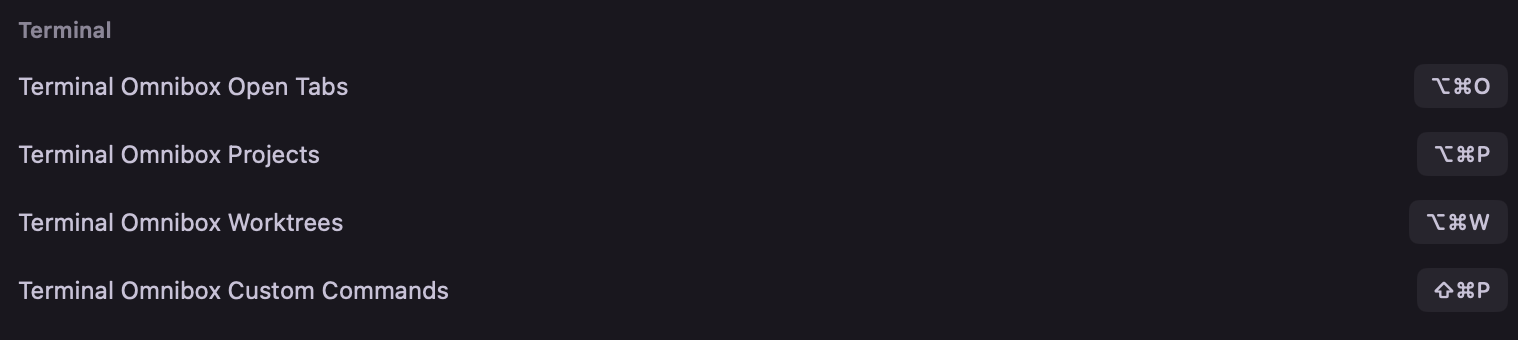
The OmniBox is the most visible change. An overlay that consolidates navigation across projects, tabs, and commands. Two days in and you stop noticing it, because you’re already using it without thinking.
The Home project is now permanent. A workspace that persists across sessions, no configuration needed. Useful for everything that doesn’t warrant a dedicated project but that you want to find again.
Worktrees are opt-in per project. Muxy creates and manages git worktrees directly from the UI, each worktree in its own panel, no manual folder juggling. If you spend time on PR reviews or juggling branches, this one sticks.
Resizable sidebar, icon pickers for projects, desktop notifications. Small details, but they add up.
CLI and programmatic control
v1.0.0 exposes a CLI for controlling panes from outside the app. If you script your dev workflows or open Muxy from other tools, two commands matter:
# Open a project directly in Muxy
muxy open /path/to/project

# Create a worktree from the CLI
muxy create-worktree --branch feature/my-feature
Routing project opens to Muxy also works from supported IDEs. Athas and Antigravity are officially supported as of v1.0.0.
Muxy is available on macOS 14+, iOS, and Android. Mac install:
brew install --cask muxy-app/tap/muxyExtension store: muxy.app/store. SDK and docs: github.com/muxy-app/muxy.